

Your Google Business Profile has become one of the most powerful tools for attracting local customers. In 2026, google business profile optimization 2026 standards have evolved to include AI search compatibility, stricter relevance signals, and new features that directly impact local search rankings. Businesses that master these optimization techniques capture free traffic from potential customers actively searching for their services.
Local businesses depend on visibility in Google Maps results and the local pack to drive phone calls, direction requests, and website visits. When someone searches for services in your area, Google evaluates hundreds of signals to determine which businesses appear prominently. Your Google Business Profile provides many of these signals, making optimization essential for any local seo 2026 strategy.
This guide covers everything you need to know to improve google business ranking through strategic profile optimization. You will learn how to set up and verify your profile correctly, optimize every section for maximum visibility, leverage Google Posts and photos effectively, manage reviews to build local authority, and adapt to AI search changes affecting local results. Whether you run a single location or multiple service areas, these techniques will help you outrank competitors in local search results.
Why Google Business Profile Matters for Local SEO in 2026
Understanding why Google Business Profile optimization drives results helps you prioritize this effort appropriately. The profile serves as your primary presence in Google’s local ecosystem, influencing visibility across multiple channels.
The Local Pack and Google Maps
When users search with local intent, Google displays a local pack showing three businesses above organic results. This prominent placement captures significant click through rates because it appears exactly when people are ready to contact local businesses. Appearing in the local pack often matters more than ranking first in organic results for location-based queries.
Google Maps results similarly depend on your profile information and optimization. Users searching directly in Maps see businesses ranked by relevance, distance, and prominence. Your profile optimization directly influences the relevance and prominence factors, helping you appear for relevant search terms even when competitors are closer to the searcher.
Free Traffic From Ready Buyers
Unlike paid advertising through Google Ads, traffic from your Google Business Profile costs nothing. People finding you through local search have already expressed intent by searching for services you provide in locations you serve. This makes GBP traffic exceptionally valuable compared to broader marketing efforts.
The free tool aspect makes Google Business Profile particularly important for small businesses with limited marketing budgets. A well-optimized profile can generate consistent leads without ongoing advertising spend. Local SEO services often deliver the highest ROI for service based businesses precisely because of this free traffic opportunity.
Trust and Credibility Signals
Your Google Business Profile shapes first impressions for many potential customers. The information displayed, photos shown, reviews accumulated, and overall profile completeness all influence whether someone chooses to contact you or scroll to the next option.
High quality photos of your work, positive reviews from satisfied customers, and detailed descriptions of your services build trust before any direct interaction. This credibility translates into higher conversion rates from profile views to actual contacts.
Setting Up Your Google Business Profile for Success
Proper setup creates the foundation for effective optimization. Getting the basics right from the start prevents problems that become harder to fix later.
Creating or Claiming Your Profile
If your business does not yet have a Google Business Profile, creating one starts with your Gmail account at business.google.com. The step by step process guides you through entering your business name, selecting categories, adding your business address or service area, and providing contact information.
Many businesses already have profiles created by Google based on web information or customer contributions. Search for your business name on Google Maps to check. If a listing exists, claim it by following the verification process to gain management access. Claiming existing listings ensures you control the information displayed rather than relying on potentially inaccurate automated data.
Verification Process
Google requires verification to confirm you legitimately represent the business. This verify business legitimacy step typically involves receiving a postcard at your physical location with a verification code. Some businesses qualify for phone or email verification, which completes faster.
Verification matters because unverified profiles have limited functionality and reduced visibility. Complete verification promptly to unlock all optimization features. If you manage multiple locations, verification for each location is required separately.
Choosing Your Business Type
Google offers different profile types for businesses with physical locations customers visit versus service area businesses that travel to customers. Choose the option matching your actual business model.
Storefront businesses display their business address on the profile and appear for searches near that location. Service area businesses can specify the regions they serve without displaying a street address. Some businesses qualify for both, showing an address while also specifying a broader service area.
Selecting the wrong type limits your visibility for relevant searches. Plumbing companies and other home service businesses typically use service area settings since customers rarely visit their offices.
Optimizing Your Business Information and Categories
The information in your profile directly influences which searches trigger your listing. Strategic optimization ensures you appear for the terms that matter most.
Business Name and Description
Your business name should match your official business name exactly. Avoid stuffing keywords into your business name, as this violates Google’s guidelines and can result in suspension. The name field exists for identification, not optimization.
Your business description provides space for strategic messaging. Write a compelling description that explains what you do, who you serve, and what makes you different. Naturally incorporate relevant keywords that describe your services without awkward stuffing. Focus on communicating value to potential customers while giving Google context about your business.
Primary and Secondary Categories
Category selection significantly impacts which searches display your profile. Your primary category carries the most weight, so choose the option that most precisely describes your core business. A plumber should select Plumber as their primary category rather than a broader term like Home Services.
Secondary categories allow you to indicate additional services. An HVAC company might use HVAC Contractor as primary while adding Heating Contractor and Air Conditioning Contractor as secondary categories. Use all relevant categories but avoid selecting options that do not accurately represent services you actually provide.
Google updates available google business categories 2026 periodically, so review category options occasionally for new selections that might fit your business better. More specific categories typically perform better than generic alternatives.
Services and Products
The services section lets you list specific offerings with detailed descriptions. Each service entry creates additional opportunities to appear for relevant searches. Write unique, descriptive content for each service rather than copying generic text.
For businesses selling products, the products section functions similarly. Add your key offerings with descriptions, prices if applicable, and links to relevant service pages on your website. These elements now contribute to keyword relevance and visibility in AI Overviews, making thorough completion increasingly important.
Attributes and Additional Information
Google offers various attributes depending on your business type. These might include accessibility features, payment methods accepted, amenities offered, or service options like online appointments. Complete all relevant attributes to provide comprehensive information and potentially appear in filtered searches.
Business hours require accurate setup including regular hours, special hours for holidays, and indication of 24/7 availability if applicable. Incorrect hours frustrate customers and can generate negative reviews. Update hours promptly when they change.
Your website url should point to your homepage or a relevant landing page. Some businesses benefit from linking to location-specific pages for each profile if operating multiple locations.
Google Posts, Photos, and Profile Activity
Active profiles outperform static ones. Regular updates signal to Google that your business is operating and engaged, which positively influences rankings.
Creating Effective Google Posts
Google Posts appear on your profile and sometimes in search results. These updates can announce offers, share news, promote events, or highlight products and services. Posting at least once per week keeps your profile active and provides fresh content for potential customers to discover.
Effective posts include compelling images, concise text that communicates value, and clear calls to action. Link posts to relevant pages on your website to drive traffic. Vary your post types between updates, offers, and events to maintain interest.
Posts expire after seven days by default, though event posts last until the event date passes. This expiration means consistent posting is necessary to maintain visible content. Schedule time weekly to create and publish new posts.
High Quality Photos and Videos
Visual content significantly impacts profile performance. Profiles with high quality photos receive more clicks, calls, and direction requests than those with few or poor images. Invest in professional photography or take quality photos yourself using good lighting and composition.
Include various photo types: exterior shots help customers recognize your location, interior photos show your space, product photos display what you sell, and team photos add personal connection. For service businesses, before and after photos of completed work demonstrate expertise effectively.
Real photos of your actual business outperform stock imagery. Customers increasingly recognize and distrust generic stock photos. Authentic images of your real team, real location, and real work build trust more effectively.
Geo-Tagged Photos
Photos with geographic metadata embedded can reinforce your location relevance. When you take photos with a smartphone at your business location, the device typically embeds GPS coordinates. These geo-tagged photos tied to your service area improve local relevance signals.
You can also add photos with location data manually using various tools before uploading. For service area businesses, including photos taken at job sites throughout your territory reinforces the geographic areas you serve.
Maintaining Profile Activity
Beyond posts and photos, other activity signals matter. Respond to questions customers ask through your profile. Update your information when anything changes. Add new photos regularly. This ongoing engagement demonstrates an active, customer-focused business.
Google tracks how users interact with your profile and how you respond. Quick responses to inquiries, regular updates, and comprehensive information all contribute to the activity signals that influence ranking factors.
Managing Reviews and Building Local Authority
Google reviews substantially impact both rankings and customer decisions. Strategic review management builds the local authority that drives sustained visibility.
Why Reviews Matter
Reviews influence rankings through multiple mechanisms. Review quantity indicates popularity and customer engagement. Review quality and sentiment help Google understand customer satisfaction. Keywords appearing in reviews provide additional relevance signals for matching searches.
Beyond rankings, reviews directly affect whether searchers choose to contact you. Most consumers read reviews before selecting local businesses. A strong review profile with many positive reviews converts profile viewers into customers at higher rates than sparse or negative review collections.
Generating Positive Reviews
Satisfied customers often need prompting to leave reviews. Create a simple process for requesting reviews after successful service. Send follow-up emails or texts containing a direct link to your review page to make it as easy as possible for customers to leave feedback. Make leaving a review as easy as possible.
Train your team to request reviews at appropriate moments. After completing a job well, a simple request often yields results. Some businesses include review requests on invoices, follow-up communications, or thank you cards.
Never offer incentives for reviews or post fake reviews. Google’s systems detect manipulation, and violations can result in review removal or profile suspension. Focus on earning genuine positive reviews through excellent service.
Responding to All Reviews
Respond to every review, both positive and negative reviews. Thank customers for positive feedback with personalized responses that reference specifics from their review. This engagement shows appreciation and encourages others to leave reviews.
Address negative reviews professionally and constructively. Acknowledge the customer’s concern, apologize for any legitimate issues, and offer to resolve problems offline. Your response speaks to future customers reading reviews as much as to the original reviewer.
Review responses also provide opportunity to naturally incorporate relevant keywords. Mentioning specific services or locations in responses adds context Google can use for relevance matching.
Building Local Authority Through Citations
Citations are mentions of your business name, address, and phone number across the web. Consistent citations across online directories, industry sites, and local directories reinforce your business information and build local authority.
Ensure your information matches exactly across all platforms. Inconsistencies confuse both customers and search engines. Claim and optimize listings on major platforms like Yelp, Apple Maps, Facebook, and industry-specific directories relevant to your business.
Citations matter particularly for establishing legitimacy in your service area. A business mentioned consistently across multiple channels with matching information appears more established and trustworthy to Google’s systems.
How AI Search Impacts Local Visibility
AI systems increasingly influence how Google displays local results. Understanding these changes helps you optimize for emerging search behaviors.
AI Overviews and Local Queries
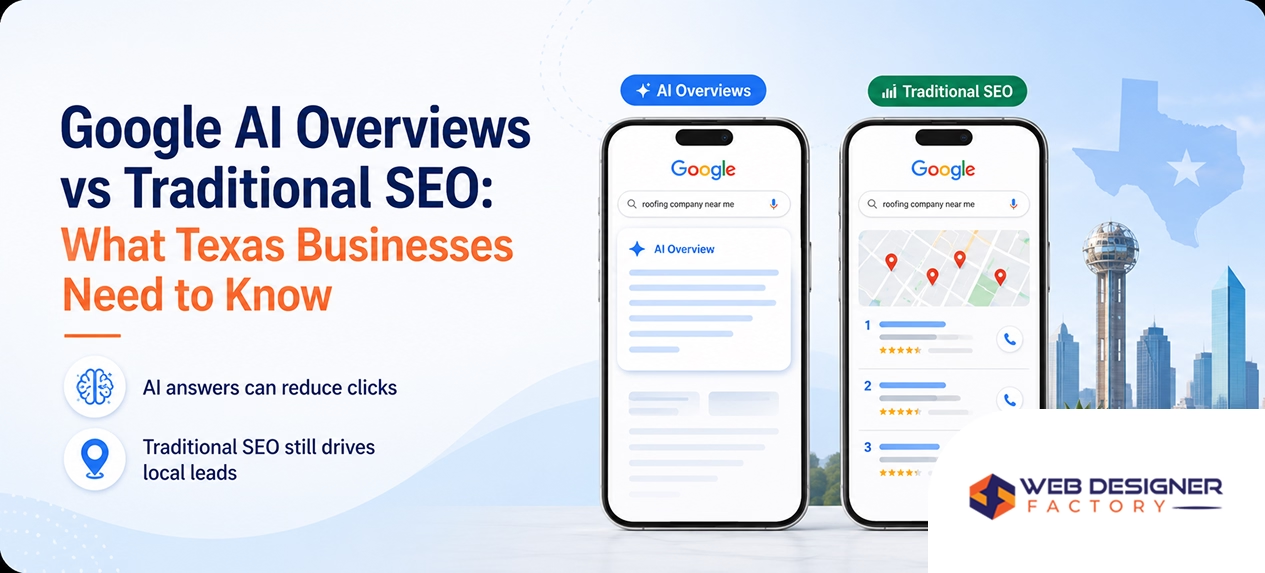
Google’s AI Overviews synthesize information to answer queries directly. For local searches, these overviews may include business recommendations, comparisons, or answers about local services. Content from your Google Business Profile can contribute to these AI-generated responses.
Optimizing for AI Overviews means providing clear, structured information that AI systems can understand and cite. Complete business descriptions, detailed service listings, and comprehensive Q&A sections give AI systems material to work with when generating local recommendations.
Structured Data and Local SEO
Structured data on your website reinforces the information in your Google Business Profile. LocalBusiness schema markup communicates your business details, services, hours, and location in formats AI systems process efficiently.
Implementing proper structured data on your website helps Google connect your web presence with your business listing. This connection strengthens both your organic search visibility and your local profile performance. SEO services should include structured data implementation as standard practice.
Voice Search and Local Intent
Voice searches through phones and smart speakers often have local intent. People ask for nearby businesses, operating hours, and directions conversationally. Your profile information supplies answers to many of these voice queries.
Optimize your profile information for natural language questions. Ensure hours, services, and location information are complete and accurate. These details get spoken back to users asking voice assistants about local businesses.
Adapting to Algorithm Updates
Google announced various updates affecting local search through 2025 and into 2026. Staying current with changes helps you adapt strategy appropriately. Major updates typically emphasize review authenticity, profile completeness, and user engagement signals.
Follow industry news and Google’s official announcements to stay informed about changes. When updates roll out, analyze your performance data for any significant changes and adjust optimization accordingly.
Tracking Performance and Improving Rankings
Measuring results reveals what works and identifies improvement opportunities. Google provides substantial performance data directly within your profile management interface.
Understanding Profile Insights
Your Google Business Profile includes insights showing how customers find and interact with your listing. Key metrics include search queries triggering your profile, how many people viewed your profile, and what actions they took like clicking to call, requesting directions, or visiting your website.
Review these insights regularly to understand performance trends. Identify which search queries drive the most visibility and whether those align with your target services. Track action rates to gauge how effectively your profile converts views into contacts.
Monitoring Search Performance
Track where your profile appears for important searches over time. Regular monitoring reveals whether optimization efforts improve visibility for target terms. Note your position in the local pack and map results for key queries.
Several tools help track local rankings systematically. Google Search Console provides some local search data, while specialized local SEO tools offer more detailed tracking. GBP optimization services typically include ongoing rank tracking as part of comprehensive management.
Competitive Analysis
Examine what top-ranking competitors do with their profiles. Note their category selections, review counts, photo quality, posting frequency, and overall profile completeness. Identify gaps between your profile and better-performing competitors.
This analysis reveals specific improvement opportunities. If competitors have more reviews, prioritize review generation. If they post more frequently, increase your posting schedule. If their photos look more professional, invest in better imagery.
Continuous Improvement Process
GBP optimization is not a one-time project but an ongoing process. Customer expectations evolve, competitors improve their profiles, and Google updates its ranking algorithms. Sustained success requires continuous attention and refinement.
Establish regular optimization routines. Weekly posting, monthly photo additions, ongoing review management, and quarterly comprehensive audits keep your profile performing optimally. Digital marketing services often include GBP management as part of integrated local marketing programs.
Your Next Steps
Optimizing your Google Business Profile creates immediate opportunities for increased local visibility. These action steps will help you implement what you have learned about gbp seo 2026.
- Claim or create your Google Business Profile if you have not already done so
- Complete verification to unlock full profile functionality
- Select your most specific and accurate primary category with relevant secondary categories
- Write a compelling business description incorporating your key services naturally
- Add high quality photos of your business, team, and work
- Create your first Google Post and commit to weekly posting
- Develop a system for requesting reviews from satisfied customers
- Respond to all existing reviews with personalized, professional responses
- Ensure consistent business information across all online directories
- Set up monthly performance reviews using profile insights
Ready to maximize your local visibility through expert Google Business Profile optimization? Get your free proposal and discover how strategic local SEO can drive more calls and customers to your business. View our portfolio to see local ranking improvements we have achieved for businesses across the Dallas-Fort Worth area.
Frequently Asked Questions
How often should I update or post on my Google Business Profile in 2026?
At least once per week is recommended for optimal performance. Active profiles consistently outrank inactive ones in local search results because Google interprets regular posting as a signal that your business is operating and engaged with customers. Posts expire after seven days, so weekly posting maintains visible content on your profile at all times. Beyond posts, regularly add new photos, respond to reviews promptly, and update any business information when it changes. This consistent activity demonstrates to both Google and potential customers that your business is active, attentive, and worth choosing over less-engaged competitors.
Do keywords in Google reviews help rankings?
Yes, Google analyzes review sentiment and keyword patterns to understand business relevance for specific searches. When customers mention specific services, locations, or experiences in their reviews, it provides additional context about what your business offers and how well you deliver it. For example, reviews mentioning emergency plumbing service or AC repair in Plano reinforce relevance for those terms. You cannot control exactly what customers write, but you can encourage detailed reviews by asking customers to share what service they received and their experience. Responding to reviews also lets you naturally incorporate relevant terms while engaging with customer feedback.
What impacts Google Business Profile rankings the most?
The most influential ranking factors for local pack and Google Maps results include category selection accuracy, proximity to the searcher, review quantity and quality, service and product descriptions completeness, and overall profile activity level. Choosing the most specific primary category that matches your business matters significantly. Your physical location or service area determines which geographic searches show your listing. Profiles with more positive reviews from verified customers rank better. Complete service descriptions with detailed information improve keyword relevance matching. Regular posting, photo updates, and review responses signal active engagement. Optimizing all these elements together produces the strongest ranking improvements for local businesses.
Should I add products and services to my GBP?
Yes, adding products and services has become increasingly important in 2026. These elements now contribute directly to keyword relevance matching, helping your profile appear for specific service-related searches. Each service listing with a unique, detailed description creates additional opportunities to rank for relevant queries. Products and services also enhance AI Overview visibility, as AI systems reference this structured information when generating recommendations. Complete each listing with descriptive content rather than just names. Include pricing if appropriate and link to relevant service pages on your website. This comprehensive information helps potential customers understand your offerings while providing Google with the detailed data it needs to match your profile with relevant searches.
Are geo-tagged photos still helpful in 2026?
Yes, photos with geographic metadata continue to provide local relevance signals. When photos contain GPS coordinates from where they were taken, Google can associate that visual content with specific locations. For businesses with physical locations, photos taken on-site reinforce your presence at that address. For service area businesses like HVAC companies, photos taken at job sites throughout your territory demonstrate that you actually work in those areas. This geographic evidence supports the service area claims in your profile. Take photos with location services enabled on your smartphone to automatically embed coordinates, or use tools to add location data before uploading to your profile.